
Early adopters25% off your first year for the first 50 firms. See how it stacks up

Arqor for Contractors

The office, the site and the money, on one job.

Valuations and retention, supplier bills read into job costs, subcontractor quotes, CIS and a shared inbox, with your architect and your client on the same job. Three licences included, with Arqor Smart Email on each.

£449 a month, or £3,990 a year, for 3 licences. Extra licences £69 a month. Unlimited site users included. No passwords: you sign in with an email link.

Everything in Arqor for Contractors

Everything in Arqor for Contractors.

The same job, seen from the site and from the desk: subcontractors pricing on a link, valuations and retention, and your architect and your client on the job. Arqor Smart Email is on every licence.

The things that cost you money or your evenings.

IncludedAutomatic

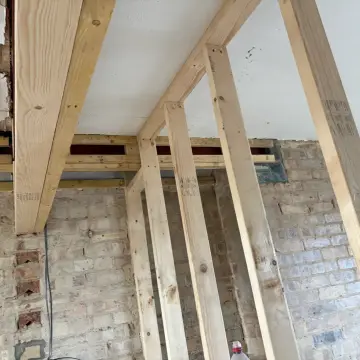
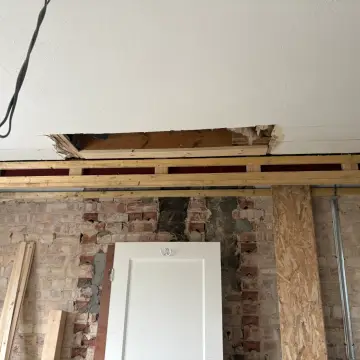
Site photos pinned to the plan

Everyone on site scans the QR code on the site board and starts taking photos: no app, no account, no password. Each photo keeps its time and place, and pinning it to the drawing is a tap, so the plan shows what was done where.

How it goes

  1. 1Scan the QR code on the site board.
  2. 2Take photos. The time and place are saved with each one.
  3. 3Pin each to the drawing, and share the plan with the building inspector.
ReplacesWhatsApp photosAlso in the Arqor app
IncludedAI drafts, you approve

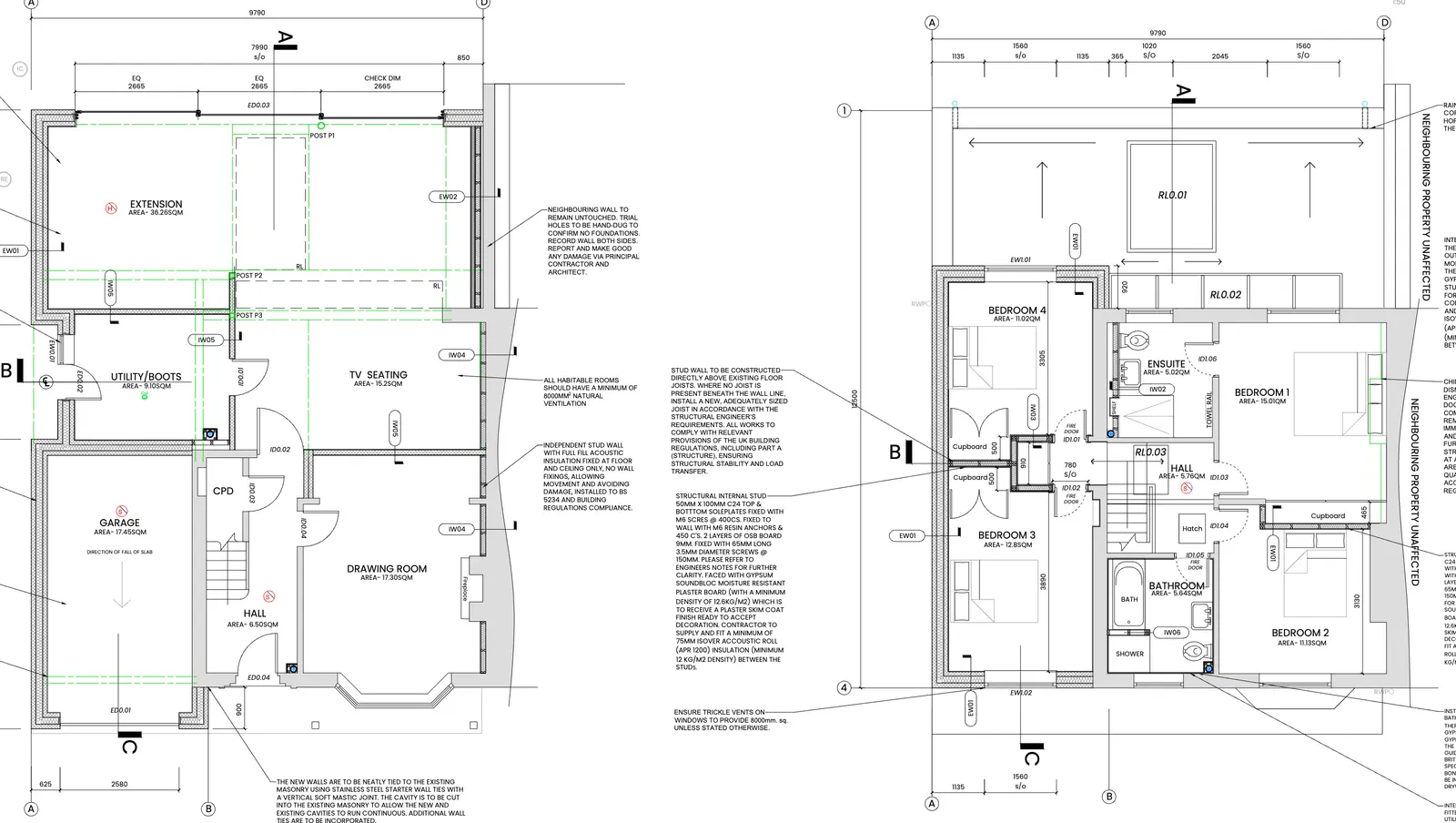
A quote from the drawings

Measure straight off the drawing, or let Arqor read the whole drawing set and draft the schedule for you to check. Price each line from your own price book, with a cost build-up if you want one, and Arqor does the arithmetic. Anything it cannot see stays blank for you, and it never invents a price.

How it goes

  1. 1Add the drawings, or measure off a floor plan.
  2. 2Check the drafted schedule and price it from your price book.
  3. 3Read the quote as the customer will, then send it from your own email.
ReplacesQuote spreadsheetThe take-off toolAlso in the Arqor app
IncludedOne tap

Invoices from the quote

Raise the invoice from the quote or the finished job, so the lines come with it. CIS and reverse-charge wording are done for you, and it goes from your own address with the PDF attached. Polite reminders go after the due date if you switch them on.

How it goes

  1. 1Raise it from the quote or the completed job.
  2. 2Read the invoice, and the email, before it goes.
  3. 3Record the payment when it lands. A reminder chases it if it is late.
ReplacesThe invoicing appCIS calculator
IncludedAI drafts, you approve

Supplier bills read to the job

Upload a supplier invoice or a photo of one, or let Smart Email bring them in as they arrive. Arqor reads the figures and matches the bill to the job by the site address. You check it and press Confirm, and only then does it count as a cost on the job.

How it goes

  1. 1A bill arrives by email, or you upload a photo.
  2. 2Check the job and the figures beside the document.
  3. 3Confirm it. It is now on the job’s costs, and its prices teach your price book.
ReplacesThe invoicing app
IncludedAutomatic

Know what each job made

Every job shows what it has cost against the quote: labour from the clock-ins, plus the supplier bills and receipts you have confirmed. You see the margin while there is still time to do something about it, and the company profit and loss even spots a regular bill that has stopped arriving.

How it goes

  1. 1Clock-ins give the labour. Confirmed bills and receipts give the rest.
  2. 2Each job sets its costs against the quote.
  3. 3The company profit and loss rolls every job up, and flags a missing regular bill.
Included · on top of TradesAutomatic

CIS on the subcontractors you pay

Arqor works out the deduction on each subcontractor you pay, keeps the month’s return figures with the 19th in view, and gathers the statements they are owed. A subcontractor with no UTR is flagged, because HMRC deducts more without one. Arqor prepares it. You file it with HMRC. (CIS on your own invoices is covered in Arqor for Trades too.)

How it goes

  1. 1Record what each subcontractor is paid.
  2. 2Arqor works out the deduction and flags anyone with no UTR.
  3. 3Check the month’s figures and statements, then file with HMRC yourself.
ReplacesCIS calculator
IncludedAutomatic

Hours without paper

One tap on the phone clocks each person in when they arrive. The timesheet builds itself, hours roll up on every job, and you can see who is on which site right now. A forgotten clock-out is caught, so payroll is a download, not Friday-night maths.

How it goes

  1. 1Each person taps to clock in on their phone.
  2. 2Timesheets build themselves, and forgotten clock-outs are flagged for you.
  3. 3Approve the week and export it for payroll.
ReplacesThe clock-in appPaper timesheetsAlso in the Arqor app
IncludedAI drafts, you approve

RAMS filled in from the job

Start from Arqor’s starter templates (construction phase plan, risk assessment, COSHH, method statements, permits, toolbox talks and more) or use your own. For each job Arqor fills the pack in with the site address, dates and team. You check it and you sign it, and the crew sign on their phones.

How it goes

  1. 1Choose a template: Arqor’s starter ones, or your own.
  2. 2Arqor fills in the site, dates and team for the job.
  3. 3You check and sign it. The crew read and sign on their phones.
ReplacesThe RAMS folderAlso in the Arqor app
IncludedAI drafts, you approve

Receipts out of the van

The crew photograph a receipt in the Arqor app. Arqor reads the supplier, the total and the VAT, and the office approves them in one go. An approved receipt lands on the job’s costs, so the carrier bag at the end of the month goes away. A figure Arqor is not sure of is left for a person to fill in, not guessed.

How it goes

  1. 1Photograph the receipt in the app and say which job.
  2. 2Arqor reads the figures.
  3. 3The office approves a batch in one go, and the cost lands on the job.
Added from the Arqor app
Included · on top of TradesAI drafts, you approve

Your email, working on your jobs

Connect the Gmail or Outlook you already use. Every address sits in one list, with the people who matter at the top and the notifications and newsletters folded away. Put a whole thread, with its attachments, on a job in one press, and supplier bills are read as they arrive.

How it goes

  1. 1Connect Gmail or Outlook.
  2. 2Bills are read to the job, and a thread files to it in one press.
  3. 3Reply from your own address, with 15 seconds to undo a send.
ReplacesThree inboxes
Included · on top of TradesOne tap

Valuations and retention

Record the certificate line by line, and put the variations the client has accepted onto the valuation. Arqor keeps the retention held and reminds you when it falls due, so it is claimed, not forgotten.

How it goes

  1. 1Record the certificate line by line.
  2. 2The client accepts a variation on a link, and it goes onto the valuation.
  3. 3Retention is tracked, with a reminder when it is due.
ReplacesQuote spreadsheet

The office

For the person who does the books.

The same job the site is working on, seen from the desk: what it cost, what is owed and what is due.

  • Valuations and retention

    Record the certificate line by line and put the client’s accepted variations onto the valuation. Arqor reminds you when retention is due.

  • Supplier bills read to the job

    Upload a bill or a photo of one and it is read, matched to the job and put on its costs, so you know what each job really cost. Smart Email pulls them from your inbox as they arrive.

  • Subcontractors price on a link

    Send them the lines without your prices. They price on a link with no account, and their price drops into your quote with your margin on top.

  • CIS on the subcontractors you pay

    The deduction on each subcontractor you pay, the monthly return due by the 19th and the statements they are owed. Arqor prepares it; it does not file for you.

  • Know what each job made

    Labour from the clock-ins, bills and receipts, against the quote, on every job. The company profit and loss even spots a regular bill that stopped arriving.

  • Invoices from the quote

    Turn the quote into an invoice, with CIS and reverse-charge wording done, sent from your name with the PDF attached. Polite reminders if you want them.

Invoices, payments, bills and receipts can go to Xero.

Connected to your architect

From their tender to their certificate, nobody types it twice.

If your architect is on Arqor, the job passes between you without being re-typed. If they are not, an email link is all they need. Each of you keeps your own books: they see this one job through a portal you control, never your company.

  1. 1

    The tender arrives.

    Your architectIssue the schedule, the tender letter, a Form of Tender and the drawings to up to ten firms, each on their own link.

    YouPrice it on the link with no account, or import it into your own Arqor as a draft quote, its sections, quantities, units and notes carried exactly.

  2. 2

    You win it.

    Your architectCompare the returns side by side and award one. The winning prices become the contract sum.

    YouAccept it and the job is made, with its programme from the schedule. Your crew sign in at the QR code and the photos pin to the plan.

  3. 3

    They see the job.

    Your architectSee it under “Shared with you” in their own Arqor, or by an email link: costs, programme, photos and documents, as far as you allow.

    YouChoose what each person sees, answer their questions on the page, and take access away in one tap.

  4. 4

    They certify it.

    Your architectConfirm or query each line of an application with the invoice open beside it, then certify with the retention and anything not allowed.

    YouGet the certificate: gross to date, less retention, less what was certified before. The record stays with the job.

What your architect sees when they certify: every line, the invoice behind it, and what is due.

See Arqor for Architects →

Arqor Smart Email

Your email, working on your jobs.

Connect the Gmail or Outlook you already use. Arqor sorts it, reads the bills and puts every conversation on the right job.

Bills land on the job, and in your prices.

Supplier invoices are read as they arrive and put against the right job, so you know what each job really cost. Their prices go into your price book, so your next quote uses what you paid last month, not last year.

Every conversation on the right job.

One press files the whole thread and its attachments to the job, and an email whose subject names the job files itself. Anyone in the office can find it, even when you are on holiday.

Nothing slips.

See who has not replied, get alerts for anything overdue or expiring, snooze what can wait and pin your key senders to the top. A replied tag means two people never answer the same email.

Write with AIDraft from a sentence, suggest a reply, proofread, or change the tone. You read it before it goes.

Search in plain wordsType “Northgate invoices from March” and press Enter. The AI works out what you mean; the results are your real emails.

Find any attachmentEvery file from every thread in one place, with previews. Search finds file names too.

Smart inbox rulesSend matching mail to a folder, and keep a supplier’s marketing out of the way while their invoices stay in view.

One-click unsubscribeNewsletters you never asked for go with one press.

A Focused inboxThe people who matter at the top, notifications and newsletters folded away, and Sweep clears the old stuff in one go.

Every address in one inboxGmail and Outlook side by side, with a shared info@ for everyone and accounts@ for only the people you choose.

Enquiries become leadsLog enquiry puts a new customer’s email on Enquiries, so the lead is never lost.

Subcontractor quotes in one pressA priced attachment goes straight onto Subcontractor quotes, ready for your margin.

Meetings into the calendarWhen an email proposes a time, one press puts it in the calendar.

Summarise and translateA long thread boiled down, and a message in another language turned into English.

Sent from your own addressQuotes and invoices go from your mailbox with your signature, and you have 15 seconds to undo a send.

On Trades, Arqor Smart Email is £390 a year or £45 a month per person. Every Contractors and Architects licence includes it. See pricing

On top of Arqor for Trades

What Contractors adds to Trades.

  • CIS on the subcontractors you pay
  • Arqor Smart Email on every licence, an add-on on Trades
  • Valuations and retention
  • Subcontractors price on a link
  • Enquiries to won work, on one board
  • Your architect and your client see the job
  • Cost-plus applications the architect checks line by line
  • A “my week” board
  • 3 licences included, not 1
  • 100 GB of storage, not 25 GB
  • 4× the monthly AI allowance

Your team, on their phones

Unlimited site users, included on every plan.

Your crew: their own Arqor app

Worker accounts are included on every plan, as many as you need. Your crew see their day, clock in, take photos onto the plan, sign RAMS and toolbox talks, ask for materials and message the office, from one app.

  • · Sign in with an email link and Face ID, never a password
  • · Works with no signal and catches up when it’s back
  • · One person can work for more than one company and switch between them

The Arqor app is on the App Store and Google Play. What each person sees in it depends on your plan: clock-in, receipts and safety are on Trades and Contractors.


Download on the App StoreGet it on Google Play

Everyone else: the QR code

Subcontractors, visitors and anyone on site for the day scan the QR code on the site board. No app, no account, no login.

  • · Type a name, pick a trade, take photos, pinned to your plan
  • · Their photos are credited to them by name, on your job
  • · With inductions switched on, they sign in to site and read the induction from a QR code too

Unlimited site users included on every plan, including SiteRecord Free.

Built for the way you work now

Sound familiar?

“I don’t trust AI.”

Fair enough. You can do everything in Arqor by hand. The AI is only there to save the typing.

  • It drafts and you approve. It can’t send a quote, issue an invoice or bill anyone by itself.
  • Prices come from your own price book. Where it can’t see something, it leaves a blank rather than guess.
  • Safety and contract wording is copied from a template, Arqor’s starter ones or your own, never made up. Your Google and Microsoft email is never used to train AI.

“We’re established, and we want to grow.”

One system for the office, the site and the client.

  • Valuations against certificates, variations the client signs on a link, retentions tracked.
  • Subcontractor packages priced on a link, cost-plus, and CIS as a contractor.
  • The numbers on every job, unlimited site users, and a licence for each person in the office.

See it with a real job.

The demo is a made-up building firm with jobs, quotes, photos and invoices already in. Have a click around.

Try the demo

Price

One price, for the office. Never per person on site.

Arqor for Contractors

£449 a month

or £3,990 a year

Prices + VAT.

  • 3 licences, then £69/mo each
  • 100 GB of storage
  • Unlimited site users included
  • Arqor Smart Email included with every licence

Early-adopter offer · first 50 firms

Pay yearly and save. Join early and save again.

Paying yearly is already over 25% cheaper than paying monthly. For the first 50 firms to join, your first year is 25% off as well, monthly or yearly, and your price then stays fixed.

Arqor for Contractors

3 licences included

  • Paying monthlytwelve payments

    £5,388

  • Paying yearlysave over 25%

    £3,990

  • Early adopter, paying yearlysave over 44% in year one

    £2,993

Year one is £2,993. Then £3,990 a year, fixed for three years.

  • Your price is fixed: two years if you pay monthly, three if you pay yearly
  • Priority on feature requests
  • Priority onboarding and training
Tell me the day it opens

The first 50 firms to join Arqor for Trades or Contractors, or until 31 March 2027, whichever comes first. The discount covers the plan, extra licences and Arqor Smart Email. Prices + VAT.

Want a website too? Arqor has partnered with Darkstar Design, the studio run by Arqor’s founder: a bespoke website you update from the jobs you have finished. See how it works →

Where the time goes

The jobs you do at the kitchen table.

Each of these comes round again and again. These are the figures we start from. The calculator under them lets you change every one.

Each timeBy handWith Arqor
A quote3 hours1 hour
An invoice20 min4 min
A supplier bill, typed and filed5 min1 min
One person’s weekly timesheet10 min2 min

Your evenings back

How much of your week is paperwork?

Put in your own numbers. The sums use the times below, and you can change any of them to match how long it really takes you.

Back every month

20hours

That’s about 7 evenings you’re not at the kitchen table.

An estimate from your numbers and the times shown, not a promise. Your own will vary.

Launching very soon

Built on real UK jobs

Built with our design partners: architects, contractors and tradespeople.

“For me, what puts Arqor ahead of competing systems is how closely it fits the way a building business works. It brings the office and site together, reduces repeated admin and helps you keep control as the business grows.”
Shaun VeaseyDirector, Shaun Veasey Building Contractor Ltd
Read the whole note

Running a building company means juggling pricing, clients, multiple jobs and a mountain of paperwork. Arqor has saved me valuable time, especially when putting quotes together, and helped make the admin more manageable.

The pricing module is a real standout for me. Being able to build up materials, labour and plant costs, then apply my margin, makes quoting quicker and gives me a clearer understanding of the figures before I send a price to a client.

Having quotes, invoices, project information, site photos and cost tracking within one system is a huge advantage. Features such as invoicing directly from quotes, managing variations and tracking costs against the original price are built around what builders actually need.

For me, what puts Arqor ahead of competing systems is how closely it fits the way a building business works. It brings the office and site together, reduces repeated admin and helps you keep control as the business grows.

Less time on paperwork means more time managing jobs, looking after clients and moving the business forward. That’s where the real value is.

Shaun Veasey · Director, Shaun Veasey Building Contractor Ltd

Works with no signalPhotos and hours save on the phone with no signal and upload themselves when you’re back in coverage.

Your brand, not oursYour logo and colours on quotes, invoices, emails and the app, on your own domain if you like.

Your data stays yoursEach company is kept separate. The AI learns only from your own jobs.

Questions

Asked on site.

Do I pay more for a bigger crew?

No. Unlimited site users are included on every plan. Anyone working on your site scans the QR code and starts adding photos, with no account and no app. On Trades and Contractors you pay a licence for each person in the office who quotes, invoices or uses Arqor Smart Email. Site managers and foremen who do neither are free.

What is the difference between Trades and Contractors?

Arqor for Trades is for the person on the tools: quotes with Measure, invoices with CIS done, clock-in, RAMS, receipts and maintenance contracts, for one licence. Arqor for Contractors is for a firm with an office and subcontractors. It has everything in Trades, and adds subcontractors pricing your lines on a link, enquiries and a pipeline, CIS on the subcontractors you pay, valuations and retention, cost-plus applications, and a portal for your architect and your client. It comes with three licences and Arqor Smart Email on each, so supplier bills and enquiries arrive from your inbox. A subcontractor can always price a contractor’s lines on a link, with no account.

Is there an app?

Yes. The Arqor app is on the App Store and Google Play. Your own people sign in with an email link and Face ID, and see their day, clock in, take photos onto the plan, photograph receipts, sign RAMS and message the office. What they see depends on your plan. Anyone else on site needs no app and no account: they scan the QR code on the site board.

Does it work without signal?

Yes, in the Arqor app. Photos, notes and clocking in and out are held on the phone with no signal at all and go up when you are back in coverage, each at the time it happened.

What is Arqor Smart Email?

Your email inside Arqor, connected to the Gmail or Microsoft 365 account you already have. Mail is sorted into Primary, Notifications and Newsletters, supplier invoices are read straight into job costs, and any message can be put on a job. Quotes and invoices go out from your own address. Each person connects up to 3 addresses, and a shared info@ is connected once and shown to everyone, or only to the people you choose. On Trades it is £390 a year or £45 a month per person; every Contractors licence includes it.

Will Building Control accept it?

Every photo is timestamped, GPS-tagged and pinned to the plan. The inspector gets a PIN-protected link with the full detail, and Part L insulation work has paired before and after photos so covered-up work stays provable.

Who owns my data?

You do. Each company’s data is kept separate, and the AI learns only from your own jobs, never from anyone else’s.

How does the early-adopter offer work?

The first 50 firms to join Arqor for Trades or Contractors before 31 March 2027 get 25% off their first year, paying monthly or yearly. Paying yearly is already cheaper than paying monthly, and the early-adopter discount comes off your first year on top of that. After that your price is fixed: until two years after you join if you pay monthly, or three years if you pay yearly. Early adopters also get priority on feature requests, onboarding and training.

Arqor for Contractors is launching very soon.

Leave your email and we will tell you the day it opens. Or have a look round the demo in the meantime.

Try the demo · or email hello@arqor.io

A smaller team, or just you? See Arqor for Trades.